Lighting decides how a finish looks in a 3D preview, and in a real kitchen. A cabinet color or a green tile can look right or wrong depending on how much light hits it and what color that light is. For a preview to be useful, each fixture should be set in lumens (the light it actually puts out), carry the color temperature of the real bulb, dim the way the client will use it, and be shown through one fixed camera exposure, so a brighter option looks brighter instead of being auto-corrected. Even then, a preview is a comparison tool, not a photometric study.
Lumens measure light; watts measure power
The U.S. Department of Energy’s consumer lighting guide puts it plainly: “While a watt is a measure of electrical power, a lumen is a measure of light (brightness).” Watts used to stand in for brightness because nearly every household bulb was incandescent. With LEDs that shortcut breaks. The same guide notes that a 1,100-lumen LED, the replacement for a 75-watt incandescent, “uses as little as nine watts.”
ENERGY STAR’s light bulb purchasing guide tells shoppers to “look for lumens, not watts,” and its equivalence chart pairs familiar incandescent wattages with minimum lumens: about 450 lumens for 40 W, 800 for 60 W, 1,100 for 75 W and 1,600 for 100 W.
For a 3D preview this has a direct consequence. A light set in arbitrary renderer units will look plausible in one room and wrong in the next. A light set in lumens can match the bulb in the fixture.
Color temperature: warm and cool white
Light color is measured on the Kelvin scale. DOE: “Higher K numbers mean the light appears cooler (or bluer) and lower K numbers mean the light is warmer.” ENERGY STAR’s guide charts a range from 2200 K to 6500 K, labeled soft white and warm white at the low end, neutral white and cool white in the middle, and daylight (“think blue sky at noon”) at the top.
A white cabinet under a 5000 K downlight and the same cabinet under a 2700 K pendant are two different colors to the eye. If the preview renders every light as the same neutral white, the client is approving a color they won’t see at home.
CRI, and why a screen can’t settle color fidelity
Color rendering index (CRI) is a separate question from color temperature. A DOE publication on CRI and LEDs, prepared by Pacific Northwest National Laboratory, describes it as “a measure of how well light sources render the colors of objects, materials, and skin tones.” The same publication lists its limits: only eight pastel test colors go into the general score, differences under five points aren’t significant, and CRI should be compared only between sources with the same color temperature. It also warns that CRI “should not be used to make product selections” without in-person and on-site evaluation.
A real-time renderer doesn’t simulate a lamp’s spectrum, so it can’t show CRI at all. That’s one of the clearest reasons a preview doesn’t replace a physical sample under the client’s own fixtures.
Dimming
A dimmer setting changes how finishes read. ENERGY STAR’s dimmable LED guide says certified dimmable bulbs “dim to at least 20% of light” and are labeled “dimmable” on the package. It also cautions that “not every bulb works well with every dimmer switch” and points to the bulb maker’s list of recommended dimmers.
A preview can’t model a particular dimmer’s curve. What it can do is show the groups of lights at a few clear levels so the client sees the room both bright and dim.
Physically based light units in three.js
three.js, an open-source WebGL library for 3D in the browser, uses physical units for its lights. Its documentation for PointLight and SpotLight defines intensity in candela and adds a power property: “Power is the luminous power of the light measured in lumens (lm).” Setting power sets the intensity. In the source code, a point light’s lumens are 4π times its candela (“for an isotropic light source”), and a spotlight’s are π times its candela “by convention.”
The library’s migration guide shows how this became the default. In r150, physicallyCorrectLights = true became useLegacyLights = false, and in r155 useLegacyLights was set to false by default and deprecated. The docs also say a light’s decay (the falloff over distance) “in context of physically-correct rendering… should not be changed” from its default of 2.
Physical light units produce a wide range of brightness, so the renderer needs tone mapping to turn that into screen values. three.js’s WebGLRenderer has toneMapping (default NoToneMapping) and toneMappingExposure (default 1). The official physical lights example, webgl_lights_physical, offers bulb presets labeled 180 lm (25W), 400 lm (40W), 800 lm (60W) and 1700 lm (100W), and room-brightness presets in lux.
How the kitchen remodel set up its lights
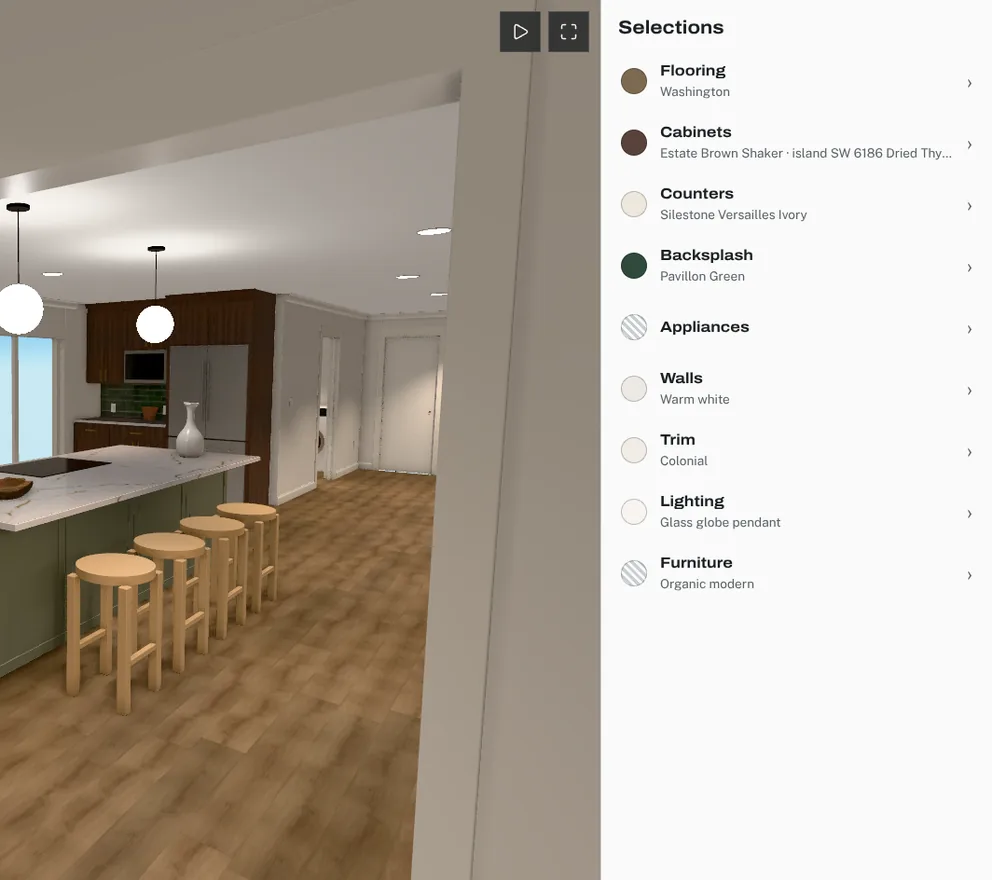
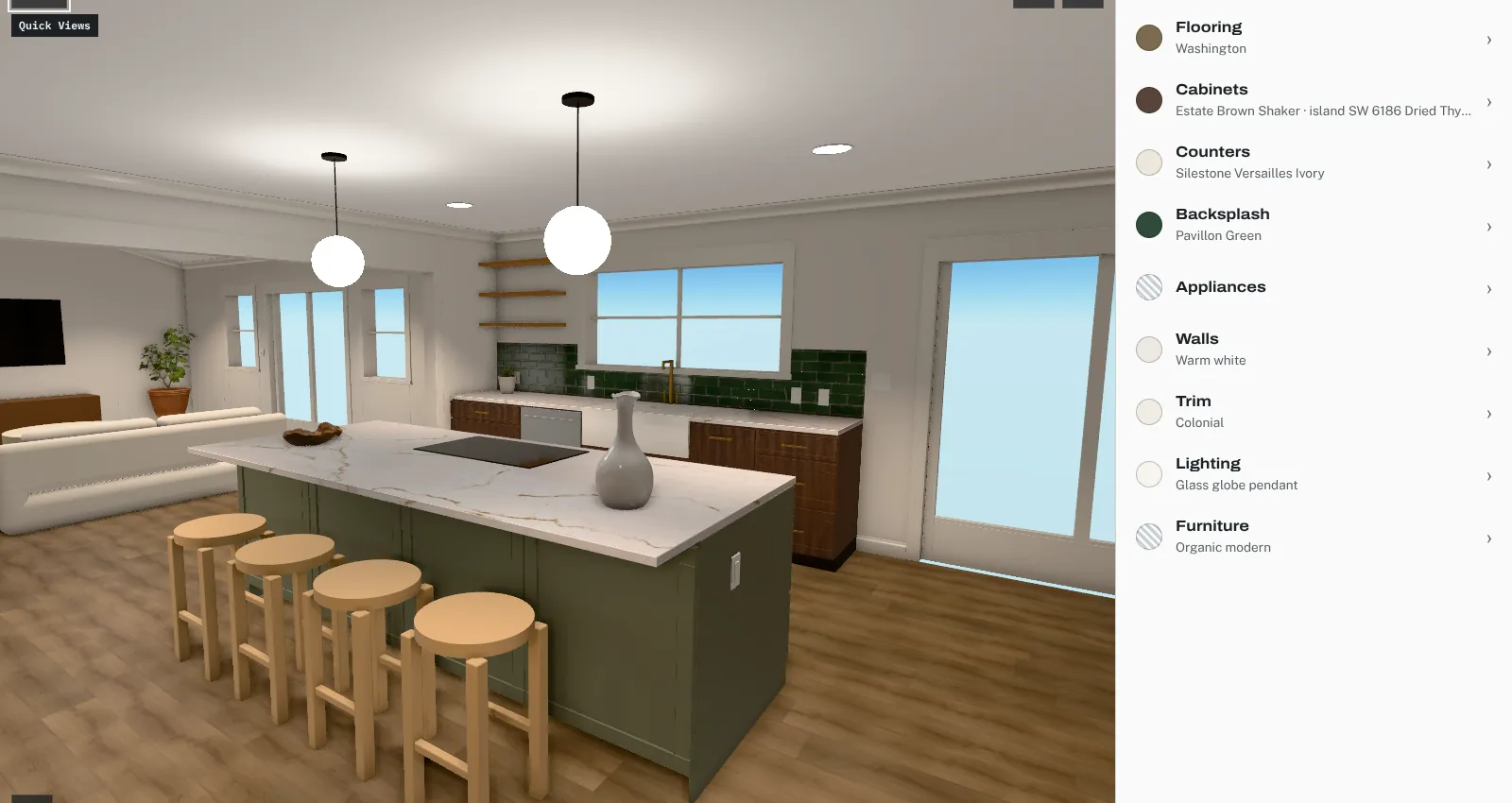
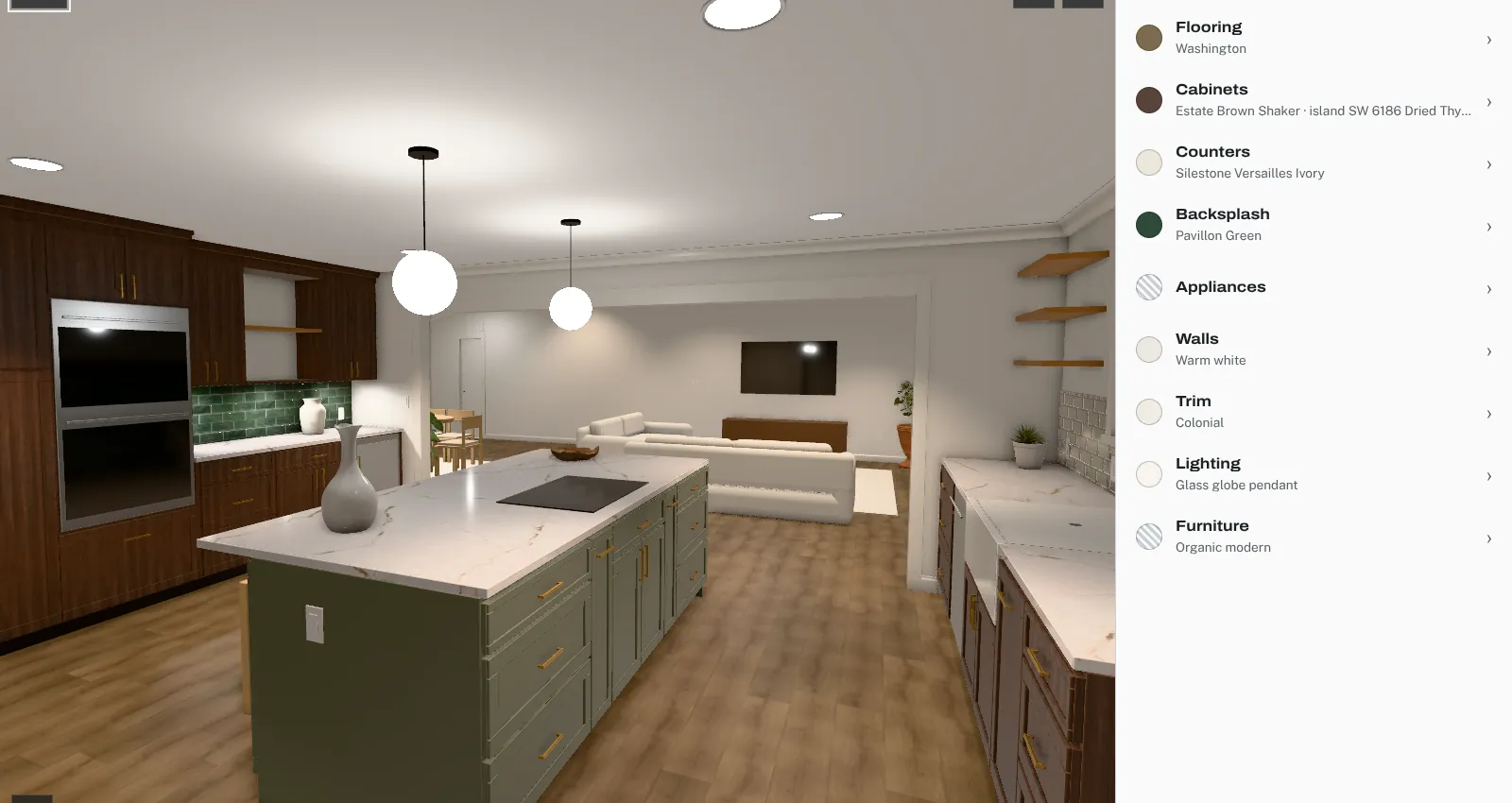
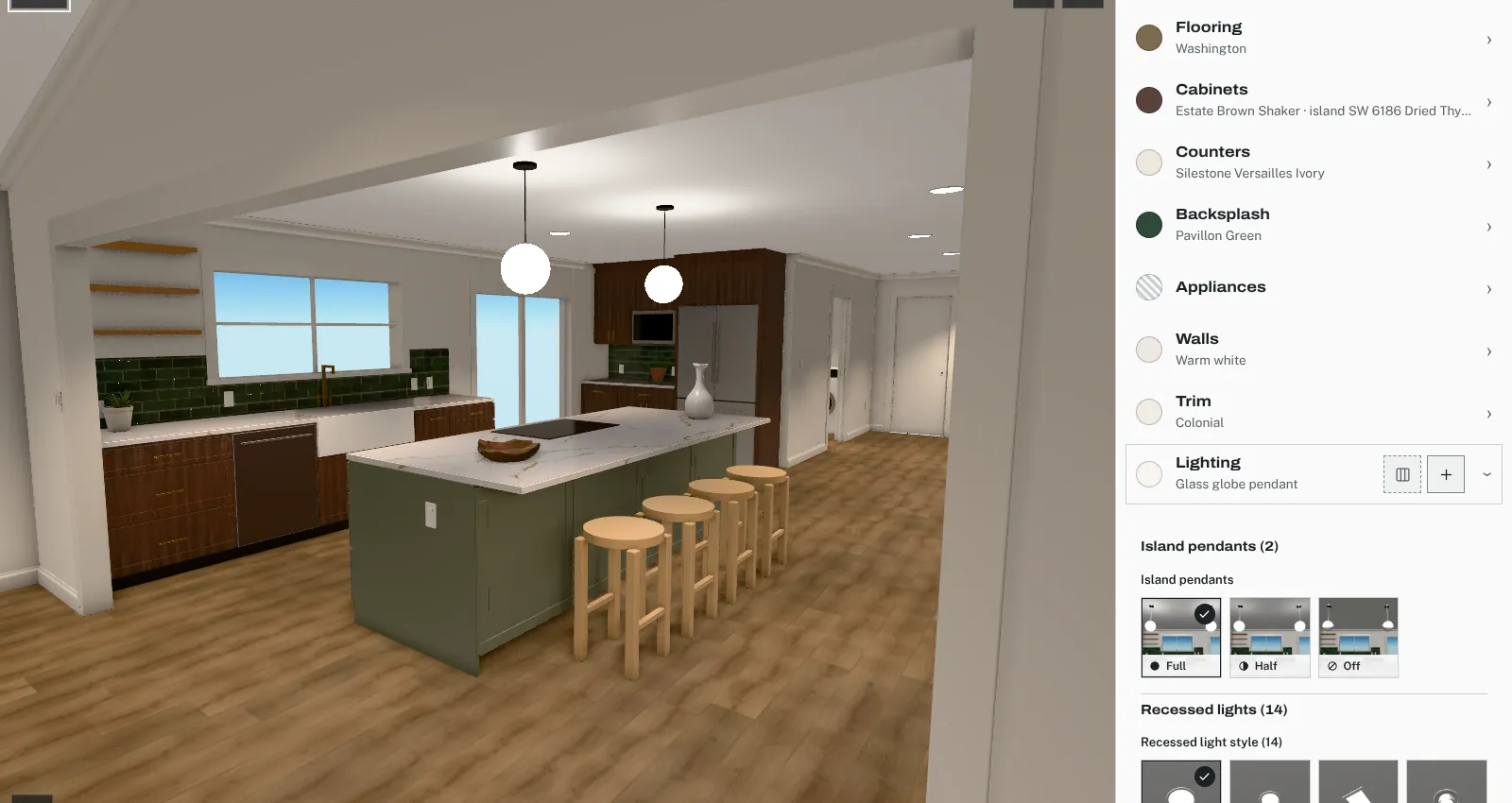
The kitchen remodel Coffered was built around used exactly these units. Fixture positions came from the electric plan sheet. The page split the lights into the groups a homeowner actually switches:
- Island pendants (2): four template shapes (glass globe, black dome, brass drum, black lantern), each at 800 lm per pendant.
- Recessed lights (14): per the electric sheet, 4 in the living room, 1 in the dining area, 5 in the kitchen, 2 in the hall and 2 in the laundry. Styles: a specified Feit 5/6-inch LED downlight at 850 lm, taken from its spec sheet and set to its 5000 K “Daylight” position, plus 4-inch round and square templates at 400 lm and a gimbal template at 800 lm.
- Dining and entry: a linear fixture (two 800 lm lamps), a multi-arm (four 400 lm), a globe cluster (three 400 lm), and flush, semi-flush or lantern entry lights at 800 lm.
- Ceiling fans (3): an integrated disc at 1,700 lm, a bowl at 800 lm, or no light.
- Dry bar under-cabinet: LED strip or pucks, 400 lm.
Template lumens were the bulb presets from the three.js physical lights example. Only the Feit downlight used a manufacturer’s number, and it was the only light with a color temperature; the others rendered as three.js’s default white. Feit’s sheet gives no beam angle, so the downlight used the 6-inch template’s cone.
Each group had its own dimmer control with three levels: Full, Half and Off. In the renderer these were 100%, 50% and 0% of the group’s lumens. Off sets the power to zero instead of removing the light. In the page’s own software-rendering test, hiding the pendants built nine new shader programs and took 23.8 seconds; setting them to zero power built none and took 8.6 seconds. One more detail: a three.js spotlight only emits part of its rated power inside its cone, so the page raised each spotlight’s power until the cone itself put out the fixture’s lumens.
Exposure was fixed for the whole house, with neutral tone mapping, so switching to a brighter fan light made the room brighter instead of being evened out by an automatic exposure.
Why a preview is still not a photometric study
Setting lights in lumens makes a preview honest about relative brightness. It doesn’t make it a lighting design. Some things it leaves out:
- Real beam shapes. Where a manufacturer publishes no beam angle, as with the downlight above, the cone is a guess.
- Spectrum and CRI. The renderer uses an RGB color for the light, not its spectrum.
- The client’s screen. Monitors and phones differ in brightness and color, and tone mapping compresses highlights by design.
- Dimmer behavior. “Half” in the preview means half the lumens. A given dimmer at the middle of its range may not deliver that.
Use the preview to compare options under consistent light, catch a finish that falls apart under cool downlights or goes muddy when dimmed, and decide what to sample. Confirm the final choices with physical samples under the actual fixtures.
Where Coffered fits
Coffered, a pre-launch subscription app for interior and remodel designers, publishes client design centers from the designer’s own 3D model. The kitchen remodel it was built around used three.js light types with light.power in lumens and built-in tone mapping, as described here. Clients can switch finishes, compare up to three options, see prices and approve a published version.
Sources
- Consumer Guide to Energy-Efficient Lighting (U.S. Department of Energy, Energy Saver)
- Light Bulb Purchasing Guide (ENERGY STAR)
- Guide to Dimmable LED Lighting (ENERGY STAR)
- LED Measurement Series: Color Rendering Index and LEDs (U.S. Department of Energy, PNNL)
- PointLight (three.js docs)
- SpotLight (three.js docs)
- WebGLRenderer (three.js docs)
- Migration Guide (three.js wiki)
- webgl_lights_physical example source (three.js)
- PointLight.js source (three.js)
- SpotLight.js source (three.js)